

In this article, we will learn how to install react js on windows 10.
What is React JS?
React is a library created by Facebook. ReactJS is a declarative, efficient, and flexible JavaScript library for building reusable UI components. It is an open-source, component-based front end library which is responsible only for the view layer of the application, later it is used in its products like WhatsApp & Instagram. So our main focus for this article is installing a JavaScript environment and Package Manager so that we can download and install libraries including React.
Step 1:
The first step is to download the Node.js installer for Windows from this site:

finish the installation process carefully.
STEP 2 :
Open command prompt or node.js command prompt as shown below
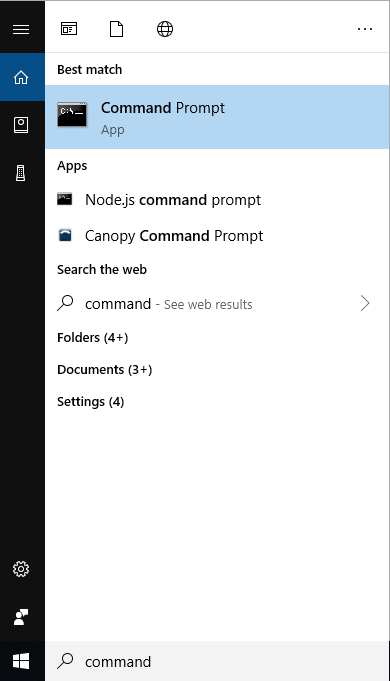
Make a new directory using the command
C:\Users>mkdir myreact
then move to the newly created directory as
C:\Users>cd myreact
STEP 3 :
In step 3, We will install React JS on your windows system for that we have to create a package.json file and make sure that you are in the newly-created directory. For that run command
C:\Users\myreact>npm init
press enter-enter until it completes asking the info, you can enter your own description for code like my first react project, etc.
Install React and other modules using
C:\Users\myreact>npm install --save react
and
C:\Users\myreact>npm install --save react-dom
STEP 4 :
We will install Create-React-APP package to simplify the process of creating and installing react into your projects for that we need to enter the command,
C:\Users\myreact>npm install -g create-react-app
To create a new project and deploy react into it we run the command as
C:\Users\myreact>create-react-app project1
The process will take up to 5 minutes to complete.
STEP 5 :
To run a React project you need to go at project1 by
C:\Users\myreact>cd project1
and
C:\Users\myreact>npm start
will run the application.
If you carefully followed above 5 steps then your default browser will open the App.js file. You can edit the App.js file as per your code.

Happy Coding ...!!!!!!!!!!!